Small job

Fixing a broken WordPress site: your website is down or shows an error

We get your WordPress website back online quickly when it is down or shows an error, find the cause and tell you what needs fixing for good.

  • Typical scope approx. 2 h
  • Roughly 100 € + VAT
  • Assessment and estimate are free

Your website opens as a white screen, shows “There has been a critical error on this website”, returns a 500 Internal Server Error, or the admin stopped letting you in after an update. Sometimes the site is up but the layout has collapsed and the menu is dead. Every hour offline costs enquiries and trust, so speed matters.

The goal of emergency repair is simple: the site back online first, the explanation second. We go through the hosting panel and the logs, find what caused the failure and do what it takes to bring the site back. Only then do we write up what happened and what should change so it does not happen again. The scope shown on this page covers the first diagnosis and a typical fix; if the damage turns out to be bigger, we estimate the rest once the site is up.

What the work includes

  • Quick diagnosis. We read the PHP errors and server logs (error_log, debug.log) in the hosting panel, switch on WP_DEBUG if needed and pinpoint the file or plugin where the error originates.
  • Restoring from backup. If the host or your backup service holds a recent copy and that is the fastest safe route, we restore the site first and investigate the cause afterwards.
  • Disabling the faulty plugin or theme. We deactivate the offending plugin or theme over FTP/SSH or in the database so the admin opens again, then switch the rest back on one at a time.
  • Fixing PHP compatibility. If the failure came from a PHP version change or outdated code, we fix the error or temporarily select a compatible PHP version until the code is sorted out.
  • Repairing the database. We run a table check and repair (REPAIR TABLE or WP-CLI), verify the connection details and privileges in wp-config.php and clear bloated transients if they are choking the site.
  • Rolling back an update. If the site broke after a WordPress core, theme or plugin update, we roll that component back to the last working version and note what must be checked before updating again.
  • File permissions and .htaccess. We check file and folder permissions, .htaccess rules and permalinks, which are common causes of 500 errors and 404 pages.
  • Checks after the fix. We go through the home page, subpages, forms and, in a shop, the basket and checkout, so the site actually works rather than merely loads.
  • Summary of cause and recommendations. We write a short note on what caused the failure, what we did and what should be done permanently: update, replace or remove.

Typical situations

A plugin auto-updated and the site now shows nothing but the critical error message. The host raised the PHP version and a function in an old theme stopped working. Someone edited functions.php and left a syntax error behind. A database table got corrupted after a server restart, or the disk filled up. An expired SSL certificate or a wrong site URL in the database sends visitors into an endless redirect loop. In all of these, knowing the right first step saves hours.

What we need from you

  • Access to the hosting panel (cPanel, Plesk or your host’s own panel) or FTP/SSH. Without it a broken site cannot be repaired.
  • A WordPress administrator account, if the admin still opens.
  • What happened right before the failure: an update, a new plugin, a PHP change, a code edit, a migration.
  • Where the last working backup is, if one exists.
  • A quick decision on whether you prefer a restore from backup (you may lose recent changes) or a fix in place.

What is not included

  • Cleaning a hacked or malware-infected site. That is a separate service, malware removal, which we hand the job over to as soon as the logs show a break-in.
  • A thorough rewrite of old theme or plugin code for PHP 8. We make the quick fix; bigger work is estimated separately (see PHP version upgrade).
  • Fixing the host’s own outage (server down, disk full). We talk to the host where needed, but repairing the server is their job.
  • Routine updating of all plugins and the theme after the repair. That belongs to maintenance.

Who it suits

Any owner of a WordPress or WooCommerce site that is down or misbehaving right now and who has no developer to call. If the site is up but slow or suspicious, start with a health check and security audit instead. If you would rather someone kept the site in order so mornings like this stop happening, look at website maintenance, where updates are tested before they go live.

approx. 2 h Typical scope
50 € Hourly rate + VAT
100 € Estimated total

This is an estimate, not a quote. We’ll review your site free of charge first and tell you the exact time required. If the job turns out smaller, you pay less – we bill for the time actually spent.

How this job works

  1. Send an enquiry

    Send us your site address and a couple of sentences about the problem. We usually reply the same or the next working day.

  2. We review it and give you the price

    The assessment is free. You’ll know the exact time and price before you decide on anything.

  3. We do the work and report back

    We take a backup before making changes. When the work is done you get a summary of exactly what was done and what to keep an eye on going forward.

Frequently asked questions

How quickly can you get a broken site working again?

For emergency repair we start as soon as we have access, usually the same or the next working day. Typical failures such as a faulty plugin or a PHP compatibility issue are resolved quickly; for more complex cases we tell you after the first diagnosis how much more time is needed.

What does fixing a broken WordPress site cost?

The first review and estimate are free. We bill by actual time spent; the scope shown on this page covers the first diagnosis and a typical fix, and larger repairs are estimated separately once the site is back up.

Should I try anything myself before contacting you?

If you can, check the hosting panel for a recent backup and write down what changed right before the failure. Do not delete files or run restores repeatedly, as that can make the cause harder to find.

Will restoring from backup lose my latest changes?

A restore takes the site back to the moment the copy was made, so content changes and shop orders made since then may be lost. That is why we always ask for your consent first and prefer fixing the error in place where possible.

What if the site turns out to be hacked?

If the logs or files show a break-in, we hand the job over to the malware removal service, where cleaning and securing the site is a process of its own. The first diagnosis is still done and remains useful for the next steps.

Testimonials

What our clients say

Long-standing partnerships say more than any slogan. Several of the clients below have been with us for over seven years.

We have worked with Birk for eight years now. This time we wanted a new website for the company, and the goals were set high from the very start – in visuals, functionality, manageability and SEO. Thanks to Birk’s professional approach we got a website of a high standard that met our expectations 100%. The collaboration went smoothly because Birk is a very good and direct communicator, helpful, dependable and conscientious.
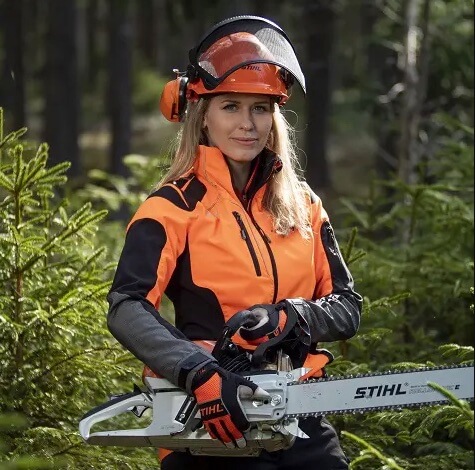
Karina Riive Karina Riive LIGNAMETS OÜ, FARMLAND PURCHASING MANAGER
We ordered a feature-rich bespoke online store from Zezz. It was also important that it integrate with our accounting software. Zezz handled the task well and has been our day-to-day web development partner since 2018. Overall score 8/10 – there is always room to do better.
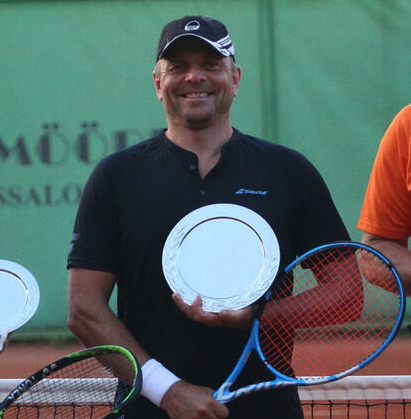
Aivo Kuldmeri Aivo Kuldmeri WESTBERG KAUBANDUS, MANAGING DIRECTOR
As a client you sometimes feel that you don’t know exactly how, and sometimes not even exactly what. But our collaboration has produced a website that our own people value and others try to copy. Thank you for the patience, the good ideas and the understanding. Thank you for visualising it and making it visible. I liked that Zezz keeps its word and stays flexible.
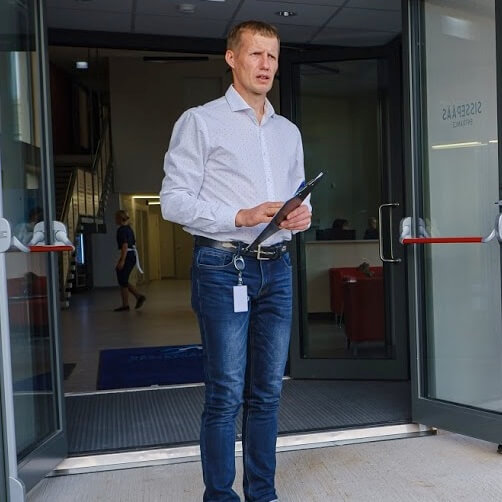
Mart Tilk Mart Tilk MANAGER, MÄRJAMAA SPORTS CENTRE

See our clients and testimonials

Get in touch

Let’s talk about your project

The first hour of consultation is free and comes with no obligation. We usually reply the same or the next working day.

  • The first hour is free – even if we don’t end up working together
  • You get a concrete price and timeline, not a vague “about”
  • No sales pressure and no automated follow-up calls

Request a quote

Describe what you need in a couple of sentences. We’ll get in touch and arrange a free consultation.


    Your details are never shared with third parties or used for newsletters.